Skip to content
View in the app

A better way to browse. Learn more.

Espacio Profundo

A full-screen app on your home screen with push notifications, badges and more.

To install this app on iOS and iPadOS
  1. Tap the Share icon in Safari
  2. Scroll the menu and tap Add to Home Screen.
  3. Tap Add in the top-right corner.
To install this app on Android
  1. Tap the 3-dot menu (⋮) in the top-right corner of the browser.
  2. Tap Add to Home screen or Install app.
  3. Confirm by tapping Install.
HERRAMIENTAS DE LA COMUNIDAD Gratuito

Simulá tu equipo y planificá la noche en Tuniverso

Calculá el campo visual (FOV) de tu telescopio y cámara o armá tu lista de objetos para observar hoy.

primeras pruebas con procesado "pro"

Featured Replies

Publicado

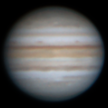
Buenas noches, a pesar que últimamente no he tenido mucho tiempo por cuestiones personales , hace unos dias pude invertir un rato en capturar Jupiter y Saturno y empezar a usar los software como se debe.Hasta el momento simplemente apilaba y tocaba wavelets.

finalmente me puse manos a la obra y use el combo Pipp, registrax, winjupos, autostaket y PS.

era un dia con pésimo seing y creo que me falto un poco de foco pero por lo menos puede comprovar el excelente seguimiento sin seguimiento, valga la redundancia, de la iOptron cemm40ec

espero os gusten

Saludos y buenos cielos

Jupitermaster.png

FB_IMG_1632875248394.jpg

Crear una cuenta o conéctate para comentar

Account

Navigation

Buscar

Buscar

Configure browser push notifications

Chrome (Android)
  1. Tap the lock icon next to the address bar.
  2. Tap Permissions → Notifications.
  3. Adjust your preference.
Chrome (Desktop)
  1. Click the padlock icon in the address bar.
  2. Select Site settings.
  3. Find Notifications and adjust your preference.