Skip to content
View in the app

A better way to browse. Learn more.

Espacio Profundo

A full-screen app on your home screen with push notifications, badges and more.

To install this app on iOS and iPadOS
  1. Tap the Share icon in Safari
  2. Scroll the menu and tap Add to Home Screen.
  3. Tap Add in the top-right corner.
To install this app on Android
  1. Tap the 3-dot menu (⋮) in the top-right corner of the browser.
  2. Tap Add to Home screen or Install app.
  3. Confirm by tapping Install.
HERRAMIENTAS DE LA COMUNIDAD Gratuito

Simulá tu equipo y planificá la noche en Tuniverso

Calculá el campo visual (FOV) de tu telescopio y cámara o armá tu lista de objetos para observar hoy.

Astrofotografía con celular

Featured Replies

Publicado

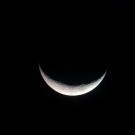
Que tal amigos en cielos poco nublados y en las oportunidades que puedo, con mi fiable amigo el celular HTC ONEM8, telescopio Celestron Powerseeker 127Eq y un par de binoculares Bushnell 10*50 y otros 30*50 mas un trípode y algunas modificaciones, no dudo en capturar las maravillas de la bóveda celeste. Espero sean de su agrado. Mi pàgina en facebook; astrocamping


IMAG0193.jpg

IMAG0197.jpg

IMAG0232.jpg

IMAG0256.jpg

Satelite cruzando Scorpio.jpg

IMAG0263.jpg

IMAG0267.jpg

IMAG0154.jpg

DSC02656.JPG

DSC02407.JPG

IMAG0033-01.jpeg

IMAG0129-01.jpeg

IMAG0356.jpg

IMG_20181204_214601659.jpg

IMG_20190518_191249406.jpg

Crear una cuenta o conéctate para comentar

Account

Navigation

Buscar

Buscar

Configure browser push notifications

Chrome (Android)
  1. Tap the lock icon next to the address bar.
  2. Tap Permissions → Notifications.
  3. Adjust your preference.
Chrome (Desktop)
  1. Click the padlock icon in the address bar.
  2. Select Site settings.
  3. Find Notifications and adjust your preference.