Skip to content
View in the app

A better way to browse. Learn more.

Espacio Profundo

A full-screen app on your home screen with push notifications, badges and more.

To install this app on iOS and iPadOS
  1. Tap the Share icon in Safari
  2. Scroll the menu and tap Add to Home Screen.
  3. Tap Add in the top-right corner.
To install this app on Android
  1. Tap the 3-dot menu (⋮) in the top-right corner of the browser.
  2. Tap Add to Home screen or Install app.
  3. Confirm by tapping Install.
HERRAMIENTAS DE LA COMUNIDAD Gratuito

Simulá tu equipo y planificá la noche en Tuniverso

Calculá el campo visual (FOV) de tu telescopio y cámara o armá tu lista de objetos para observar hoy.

Algunas tomas lunares

Featured Replies

Publicado

Hola!


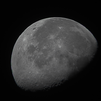
Hace mucho que no comparto nada por el foro. El día 8 de Agosto armé la EQ5 con el Heritage 130p, un Barlow Celestron Ultima x2 y las ASI120MC. Y tiré varias imagenes a la Luna. Lamentablemente mi Notebook empezó a fallar, y casi que tuve que descartar la sesión entera. Hasta que no la repare no podré hacer mucho más. Como consecuencia de esto algunas tomas quedaron muy cortas y mitigar el ruido se me hizo imposible. De todas maneras me excedí un pelín de la ganancia unitaria de la camarita. 

Comparto igualmente las fotos, y me propongo mejorar el resultado apenas pueda reparar el pin de carga de la compu.


20_22_25_lapl4_ap2801.thumb.png.a1f58b1a42db6a50a52b26a704c471bf.png


20_59_59_lapl4_ap4424.thumb.png.b88368145123f44b26c36a4363012fd5.png


21_01_52_lapl4_ap4180.thumb.png.61b79c0e195ab4ce8c1b0410b145c068.png


21_02_50_lapl4_ap4249.thumb.png.19a641442904b698ffc57b63033120a0.png

OTA: SkyWatcher Heritage 130p, LongPerng 66/400 Oculares: BST 25 mm, 18mm, 12 mm, 8 mm * TMBII 6 mm.  Barlow: Celestron Ultima SV series x2 apocromática Filtros y accesorios: Lunar polarizado N96, Moon & Skyglow Filter * Optolong: L-Pro, L-Enhace * Colimadores láser y cheshire Montura: EQ5 ProGoto.

  • 10 meses después...
Publicado

Muy buenas imagenes, la primera es muy buena, son todas el mismo dia? y con la misma configuracion de captura?


Saludos y buenos cielos!!!!

20210131_005943.jpg

Crear una cuenta o conéctate para comentar

Account

Navigation

Buscar

Buscar

Configure browser push notifications

Chrome (Android)
  1. Tap the lock icon next to the address bar.
  2. Tap Permissions → Notifications.
  3. Adjust your preference.
Chrome (Desktop)
  1. Click the padlock icon in the address bar.
  2. Select Site settings.
  3. Find Notifications and adjust your preference.