Skip to content
View in the app

A better way to browse. Learn more.

Espacio Profundo

A full-screen app on your home screen with push notifications, badges and more.

To install this app on iOS and iPadOS
  1. Tap the Share icon in Safari
  2. Scroll the menu and tap Add to Home Screen.
  3. Tap Add in the top-right corner.
To install this app on Android
  1. Tap the 3-dot menu (⋮) in the top-right corner of the browser.
  2. Tap Add to Home screen or Install app.
  3. Confirm by tapping Install.
HERRAMIENTAS DE LA COMUNIDAD Gratuito

Simulá tu equipo y planificá la noche en Tuniverso

Calculá el campo visual (FOV) de tu telescopio y cámara o armá tu lista de objetos para observar hoy.

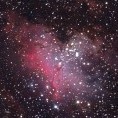
M17-SW200x100-14/09/2018 desde Cerri

Featured Replies

Publicado

Hola Gente, les dejo una de anoche desde General Daniel Cerri, de M17, fueron:

18 Light de 210 seg, 15 darck, 15 bias con Canon D1300.

SW 200 x 1000 en AZEQ6, guiado con PDH2 y Qhy5m cons Bestguider 60

Procesado con Pixinsight 1.8.

Saludos

light-BINNING_1 - copia.jpg

Publicado

Muy linda. Me gustan los colores. Felicitaciones

Publicado
  • Autor
hace 54 minutos, Tato44 dijo:

Muy linda. Me gustan los colores. Felicitaciones

Gracias @Tato44. Le tengo que agarrar la mano a la calibracion del monitor...ya que lo que veo nunca es lo que sale...o lentes talves.¡


Publicado
hace 1 hora, fedejorge dijo:

Gracias @Tato44. Le tengo que agarrar la mano a la calibracion del monitor...ya que lo que veo nunca es lo que sale...o lentes talves.¡


A mí me pasa lo mismo. Ja ja. Saludos

Publicado

Uno de mis objetos preferidos ! te salió muy linda, levantaste un montón de nebulosidad, tal vez el fondo se lo podrá oscurecer un poco, para resaltar la nebulosa ? de procesamiento no tengo ni idea..☺️


Crear una cuenta o conéctate para comentar

Account

Navigation

Buscar

Buscar

Configure browser push notifications

Chrome (Android)
  1. Tap the lock icon next to the address bar.
  2. Tap Permissions → Notifications.
  3. Adjust your preference.
Chrome (Desktop)
  1. Click the padlock icon in the address bar.
  2. Select Site settings.
  3. Find Notifications and adjust your preference.