Skip to content
View in the app

A better way to browse. Learn more.

Espacio Profundo

A full-screen app on your home screen with push notifications, badges and more.

To install this app on iOS and iPadOS
  1. Tap the Share icon in Safari
  2. Scroll the menu and tap Add to Home Screen.
  3. Tap Add in the top-right corner.
To install this app on Android
  1. Tap the 3-dot menu (⋮) in the top-right corner of the browser.
  2. Tap Add to Home screen or Install app.
  3. Confirm by tapping Install.
HERRAMIENTAS DE LA COMUNIDAD Gratuito

Simulá tu equipo y planificá la noche en Tuniverso

Calculá el campo visual (FOV) de tu telescopio y cámara o armá tu lista de objetos para observar hoy.

Rosetta nebula. Lo mejor de dos mundos

Featured Replies

Publicado

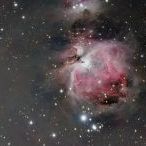
Vuelvo a publicar la imagen de la Rosetta pero esta vez le he agregado a mi foto  una muy buena información de Luminancia que me ha cedido el amigo Ezequiel Etcheverry desde LA.


Como dirían los gringos "The best of both worlds"


ezequiel-fernando_2.jpg

Publicado

Maravilloso trabajo

Publicado

Muy buena, comparando con el reproceso que publicaste antes, en esta versión te quedó mas parejo el fondo, realmente muy linda.

Publicado

Fabulosa. Parece una imagen en 3D.

Publicado

La textura esta muy bien, le falta algo de saturación al color , para mejorar el volumen y el aspecto general.


Saludos, Maxi

Crear una cuenta o conéctate para comentar

Account

Navigation

Buscar

Buscar

Configure browser push notifications

Chrome (Android)
  1. Tap the lock icon next to the address bar.
  2. Tap Permissions → Notifications.
  3. Adjust your preference.
Chrome (Desktop)
  1. Click the padlock icon in the address bar.
  2. Select Site settings.
  3. Find Notifications and adjust your preference.