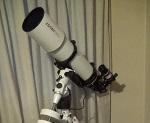
Publicado 30 de Diciembre del 201411 a Hola Gente Van algunas imágenes tomadas el 29/Diciembre/2014, 0022 Hs. UTC. Equipo: SW Esprit 120 / 1a y 2a toma: ocular Orion Plossl 20 mm a diferente zoom de la cámara, 3a toma: ocular Orion Epic 5.1 mm /, cámara Olympus D595, ISO 400 y entre 0.1 y 0.5 seg. de exposición. No tienen ningún tipo de procesado. Saludos. Edición: detalles de equipo. Editado 30 de Diciembre del 201411 a por Invitado
Publicado 30 de Diciembre del 201411 a Hola carlos!!hermosas fotos!!que sueño de equipo tenés!te felicitó saludos
Publicado 30 de Diciembre del 201411 a Que hermosas tomas Carlos!!! Los detalles son impecables. Abrazo! iOptron CEM70AG, iOptron GEM28ECEsprit EDX100, Esprit EDX150, Askar ACL200, Duoptic ED Pro 60, APO 90, Photo 90 5 elementosQHY600M, QHY294M Pro, QHY268C, QHY533M, QHY183M, QHY5III462CZelaya - Pilar - Buenos Aires - ArgentinaDuoptic - Espacio Profundo - Tuniverso.comMi Galeria de Fotos IG: @rfcontrerasb
Publicado 30 de Diciembre del 201411 a Autor Muchas gracias piru3407, en verdad que lo es. Hola Ricardo ! muchas gracias por tu comentario. Un abrazo !
Publicado 30 de Diciembre del 201411 a Muy buenas ,en el "Mar de los Humores" salio algo, es polvo en el lente o algun amigo de batman
Publicado 31 de Diciembre del 201411 a Hola Carlos muy buenas tomas,me sumo a "que nitidez"... saludos
Publicado 31 de Diciembre del 201411 a Autor Gracias Tunitas, aparenta ser lo que decis o algún pajarillo nocturno. Gracias Rama, se aquietó bastante la atmosfera, otras no salieron tan nítidas. Saludos !







Crear una cuenta o conéctate para comentar