Skip to content
View in the app

A better way to browse. Learn more.

Espacio Profundo

A full-screen app on your home screen with push notifications, badges and more.

To install this app on iOS and iPadOS
  1. Tap the Share icon in Safari
  2. Scroll the menu and tap Add to Home Screen.
  3. Tap Add in the top-right corner.
To install this app on Android
  1. Tap the 3-dot menu (⋮) in the top-right corner of the browser.
  2. Tap Add to Home screen or Install app.
  3. Confirm by tapping Install.
HERRAMIENTAS DE LA COMUNIDAD Gratuito

Simulá tu equipo y planificá la noche en Tuniverso

Calculá el campo visual (FOV) de tu telescopio y cámara o armá tu lista de objetos para observar hoy.

2014-038E 13-07-2014

Featured Replies

Publicado

Saludos a la comunidad de Espacio Profundo.

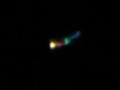
El objeto luminoso que aparece al frente de la estrella Spica, se trata del satélite ó escombros (2014-038E). No. de catalogo 40083. Designación internacional 2014-8E. Altura 7670 Km (Datos e identificación por Stellarium 0.12.4 imposible confirmar en Heavens Above finaliza en 40082). En CalSky se consiguieron estos datos:

Datos de CalSky (traducción propia)

Nombre: 14038E Debris (Escombros)

Brillo: Magnitud estandar desconocida

11.0 mag (a 1000 km, 50% iluminado)

Usspacecom Nro.: 40083

Designación internacional: 2014-038E

Orbita: 7661 x 7695 km, 4.61h Inclinación: 0.1°

Conseguí, este enlace que da, datos más precisos de 40083:

http://www.n2yo.com/satellite/?s=40083

Lo capture casi despegando (10-07-2014).

Imágenes tomadas con cámara digital, 10 megapixel, método afocal, zoom óptico 5X e ISO 400. Las imágenes fueron ampliadas y reducidas a 0,3 megapixel. Telescopio reflector 114/900. Ocular 13mm. Fecha 13-07-2014. Hora 19:53 (0:23UTC).

Saludos, Edison.

02.JPG.6fc671e41178862c93c1e2690ff734c0.

01.JPG.c6d50cb201bf2c738a25db53f80402ce.

Crear una cuenta o conéctate para comentar

Account

Navigation

Buscar

Buscar

Configure browser push notifications

Chrome (Android)
  1. Tap the lock icon next to the address bar.
  2. Tap Permissions → Notifications.
  3. Adjust your preference.
Chrome (Desktop)
  1. Click the padlock icon in the address bar.
  2. Select Site settings.
  3. Find Notifications and adjust your preference.