Skip to content
View in the app

A better way to browse. Learn more.

Espacio Profundo

A full-screen app on your home screen with push notifications, badges and more.

To install this app on iOS and iPadOS
  1. Tap the Share icon in Safari
  2. Scroll the menu and tap Add to Home Screen.
  3. Tap Add in the top-right corner.
To install this app on Android
  1. Tap the 3-dot menu (⋮) in the top-right corner of the browser.
  2. Tap Add to Home screen or Install app.
  3. Confirm by tapping Install.
HERRAMIENTAS DE LA COMUNIDAD Gratuito

Simulá tu equipo y planificá la noche en Tuniverso

Calculá el campo visual (FOV) de tu telescopio y cámara o armá tu lista de objetos para observar hoy.

Venus Tropical 16-02-2014

Featured Replies

Publicado

Saludos, a los compañeros del foro.

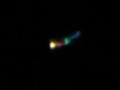
Estoy muy atento a sus críticas y recomendaciones. Les envió nuevas fotos que tome entre las 05:00 (09:30 UTC) y 06:30 (11:00 UTC) del 16-02-2014.

Telescopio reflector 114mm/900mm, cámara digital 8 Megapixels.

Venus 01: Ocular 17mm y lente 2X Barlow. Hora 05:45 (10:15 UTC).

Venus 02: Ocular 17mm, lente 2X Barlow y filtro Naranja 46%T (luz transmitida). Hora 06:15 (10:45 UTC).

Venus 03: Ocular 20mm (imagen derecha). Hora 06:23 (10:53 UTC). Nota según el programa Stellarium 0.12.4 Venus a esa hora, ya no era visible. Solo era visible con un campo de visión (FOV) de 18 . Pero a esa hora era visible a simple vista. Esta foto fue ampliada.

Saludos desde Venezuela.

Venus01.JPG.85943e0756ea062cd4cc24f2acb6

Venus02.JPG.beb959214ebdd95bf13cf18f0a7f

Venus03.JPG.1005b7d56356fefa4f2c7551e0d5

Publicado

Buenas capturas y bien por lo detallado con respecto a los datos de las capturas.

Te felicito!

Publicado
  • Autor

Gracias, Rodrigator.

El orden me salio invertido es 1,2 y 3. Salio 3,2 y 1.

Saludos desde, Venezuela.

Crear una cuenta o conéctate para comentar

Account

Navigation

Buscar

Buscar

Configure browser push notifications

Chrome (Android)
  1. Tap the lock icon next to the address bar.
  2. Tap Permissions → Notifications.
  3. Adjust your preference.
Chrome (Desktop)
  1. Click the padlock icon in the address bar.
  2. Select Site settings.
  3. Find Notifications and adjust your preference.