Skip to content
View in the app

A better way to browse. Learn more.

Espacio Profundo

A full-screen app on your home screen with push notifications, badges and more.

To install this app on iOS and iPadOS
  1. Tap the Share icon in Safari
  2. Scroll the menu and tap Add to Home Screen.
  3. Tap Add in the top-right corner.
To install this app on Android
  1. Tap the 3-dot menu (⋮) in the top-right corner of the browser.
  2. Tap Add to Home screen or Install app.
  3. Confirm by tapping Install.
HERRAMIENTAS DE LA COMUNIDAD Gratuito

Simulá tu equipo y planificá la noche en Tuniverso

Calculá el campo visual (FOV) de tu telescopio y cámara o armá tu lista de objetos para observar hoy.

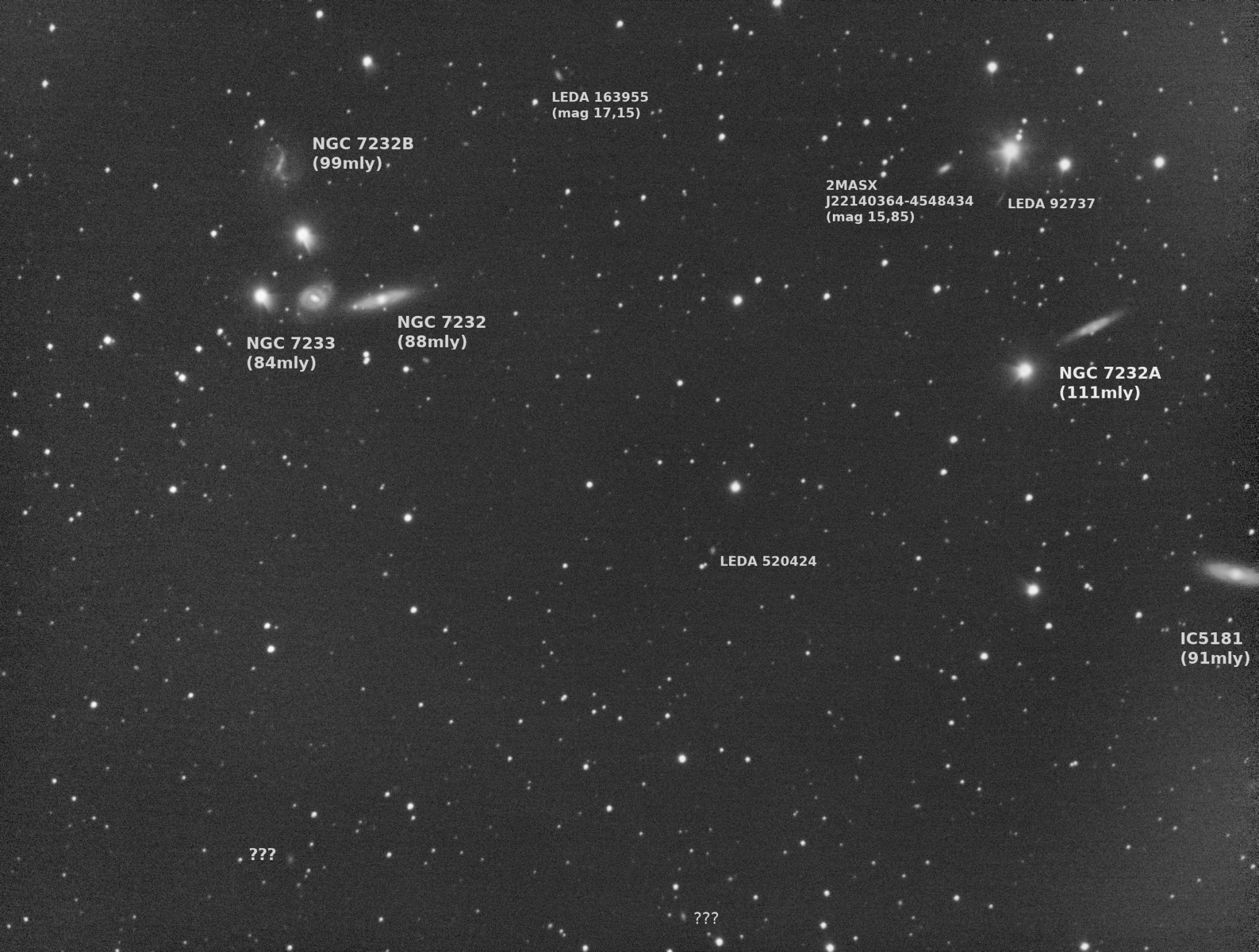
NGC7232 / NGC7233

Hola a todos, imagen de prueba utilizando programa KStars EKOS en forma remota instalado en una minipc Intel NUC (Celeron / ram 8Gb / ssd 500Gb) movida por un Linux Mint 19.2.


La prueba  se realizó para comprobar las capacidades del software y la posibilidad de acceso remoto a la PC, teniendo en cuenta que las noches frías requerían estar varias horas con la notebook a la intemperie, además de poder estar viendo cada toma que se realiza y una mejor automatización / control del proceso. En este caso se utilizo sin monitor ni teclado con comando escritorio remoto mediante WiFI.


Para la prueba se utilizo un Celestron CPC1100 con cuña ecuatorial / ZWO1600 refrigerada / filtro CLS / rueda de filtros  / reductor focal Baader Alan Gee II a F5.93  y  PC Intel NUC.


Total 90 x 30segundos / G 200 en plena ciudad.
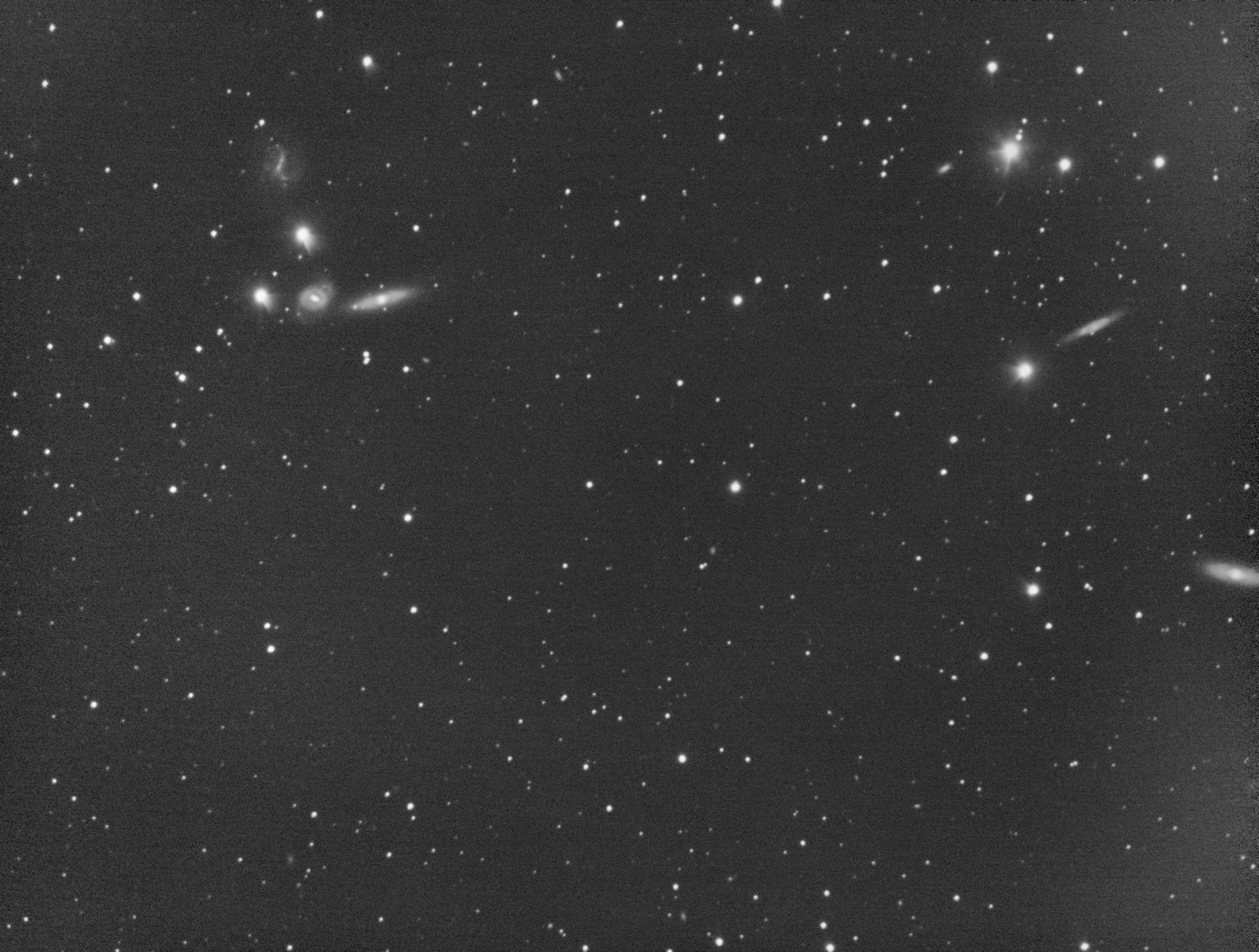
NGC7232-33_L1.thumb.jpg.e694ff29c41cbc880c1c4b0b0b5cd2c4.jpg

NGC7232-33_L1_name.thumb.jpg.1817b6073e49f96ab6dd4dfa81dd82b1.jpg

Account

Navigation

Buscar

Buscar

Configure browser push notifications

Chrome (Android)
  1. Tap the lock icon next to the address bar.
  2. Tap Permissions → Notifications.
  3. Adjust your preference.
Chrome (Desktop)
  1. Click the padlock icon in the address bar.
  2. Select Site settings.
  3. Find Notifications and adjust your preference.